Text in the window
pygame draws text in two steps. First, a font object knows the shape of the letters and their size. Its render method then makes an image of a piece of text, and that image is drawn with blit, like any other image:
import pygame

pygame.init()
window = pygame.display.set_mode((320, 240))
font = pygame.font.SysFont("Arial", 32)

while True:
    for event in pygame.event.get():
        if event.type == pygame.QUIT:
            exit()

    window.fill((0, 0, 0))
    text = font.render("Hello, pygame!", True, (255, 220, 0))
    window.blit(text, (40, 100))
    pygame.display.flip()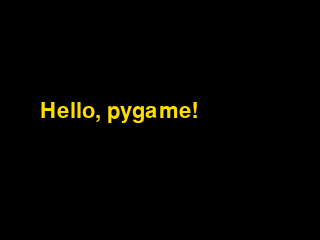
The window as text
fill (0, 0, 0)
blit text "Hello, pygame!" at (40, 100)
pygame.font.SysFont("Arial", 32)makes a font: the typeface Arial, 32 pixels high. Make the font once, before the main loop, since loading it takes time.font.render("Hello, pygame!", True, (255, 220, 0))makes an image of the text in yellow.Trueasks for smooth edges on the letters.- The window as text names the text it drew:
blit text "Hello, pygame!" at (40, 100).
On your own computer, SysFont looks for the named typeface, and if the computer doesn't have it, it uses pygame's own font. On this site every font is pygame's own, whatever its name. (pygame.font.Font(None, 32) always gives that font.) Letters look a little different on different computers, so the checks compare the window as text, not the pictures.
Text that changes
A score or a time changes during the game, so make its image in every frame, from the current value. An f-string puts the value in the text. Here each press of the space bar is a point:
import pygame

pygame.init()
window = pygame.display.set_mode((320, 240))
font = pygame.font.SysFont("Arial", 24)
score = 0

while True:
    for event in pygame.event.get():
        if event.type == pygame.KEYDOWN and event.key == pygame.K_SPACE:
            score += 1
        if event.type == pygame.QUIT:
            exit()

    window.fill((0, 0, 0))
    text = font.render(f"Score: {score}", True, (255, 255, 255))
    window.blit(text, (10, 10))
    pygame.display.flip()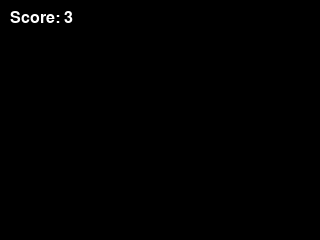
The window as text
fill (0, 0, 0)
blit text "Score: 3" at (10, 10)
The time, and centered text
pygame.time.get_ticks() gives the number of milliseconds since the program called pygame.init(). With // 1000 it's whole seconds, which makes a stopwatch. A text image has a width like any other image, so it can be centered the same way:
import pygame

pygame.init()
window = pygame.display.set_mode((320, 240))
font = pygame.font.SysFont("Arial", 40)
clock = pygame.time.Clock()

while True:
    for event in pygame.event.get():
        if event.type == pygame.QUIT:
            exit()

    seconds = pygame.time.get_ticks() // 1000
    text = font.render(f"{seconds} s", True, (255, 255, 255))
    x = (320 - text.get_width()) // 2

    window.fill((0, 0, 60))
    window.blit(text, (x, 100))
    pygame.display.flip()
    clock.tick(60)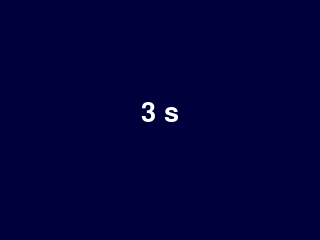
The window as text
fill (0, 0, 60)
blit text "3 s" at (141, 100)
The text is narrower or wider as the number changes, and get_width keeps it centered. On this site the clock is counted: every clock.tick(60) is a 60th of a second, so after 200 frames the stopwatch says 3 seconds, the same in every run.