Keys held down
A KEYDOWN event comes once, when the key goes down, however long it's held. So with the program of the previous step, the player has to press the arrow again for every step. In most games, holding the key down keeps the character moving.
The program can know which keys are down by remembering: a key is down from its KEYDOWN event until its KEYUP event. Keep that in a variable that's True in between, and move a little on every frame while it's True:

robot.png, 40 × 40 pixelsimport pygame
pygame.init()
window = pygame.display.set_mode((320, 240))
robot = pygame.image.load("robot.png")
x = 140
going_left = False
going_right = False
clock = pygame.time.Clock()
while True:
for event in pygame.event.get():
if event.type == pygame.KEYDOWN:
if event.key == pygame.K_LEFT:
going_left = True
if event.key == pygame.K_RIGHT:
going_right = True
if event.type == pygame.KEYUP:
if event.key == pygame.K_LEFT:
going_left = False
if event.key == pygame.K_RIGHT:
going_right = False
if event.type == pygame.QUIT:
exit()
if going_left:
x -= 3
if going_right:
x += 3
window.fill((0, 0, 0))
window.blit(robot, (x, 200))
pygame.display.flip()
clock.tick(60)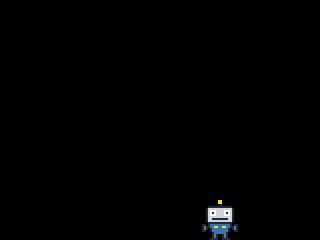
The window as text
fill (0, 0, 0)
blit robot.png at (200, 200)
Each round of the main loop now does four things, in this order: it handles the events, moves the robot, draws it and shows the frame. The right arrow was held for 30 frames, so the robot moved 3 × 30 = 90 pixels right, and then 30 pixels back left: it ends at x = 140 + 90 - 30 = 200. The clock matters again, since the robot moves on every frame: 3 pixels per frame at 60 frames per second is 180 pixels per second.
If both arrows are held, the robot moves 3 left and 3 right in each frame, so it stays put, which is what a player would expect.
Asking which keys are down
pygame can also say which keys are down right now. pygame.key.get_pressed() returns something you can index with a key's name: keys[pygame.K_RIGHT] is True while the right arrow is held. With it, the moving part is shorter, and the event loop needs only the QUIT event:
keys = pygame.key.get_pressed()
if keys[pygame.K_LEFT]:
    x -= 3
if keys[pygame.K_RIGHT]:
    x += 3
Both ways work, and the checks here accept either. The variables show what really happens: the keys come in as events, and the program remembers them.
Staying in the window
Nothing stops the robot at the edge: hold the arrow long enough and it walks out of sight. After moving, put it back inside if it went too far. Its x can't be less than 0, and its right edge can't go past the window's right edge, so x can't be more than 320 - robot.get_width():
if x < 0:
    x = 0
if x > 320 - robot.get_width():
    x = 320 - robot.get_width()
Unlike bouncing, nothing turns around here: the robot just stops at the edge for as long as the player keeps pushing.