The mouse
A mouse click is two events: pygame.MOUSEBUTTONDOWN when the button goes down, and pygame.MOUSEBUTTONUP when it comes back up. Both have two attributes: pos, the point in the window where it happened, as a tuple (x, y), and button, which button it was: 1 is the left button, 2 the middle one and 3 the right one.
import pygame

pygame.init()
window = pygame.display.set_mode((320, 240))

while True:
    for event in pygame.event.get():
        if event.type == pygame.MOUSEBUTTONDOWN:
            print("button", event.button, "at", event.pos)
        if event.type == pygame.QUIT:
            exit()

    window.fill((0, 0, 0))
    pygame.display.flip()
The window as text
fill (0, 0, 0)
button 1 at (50, 40)
button 3 at (270, 200)
event.pos[0] is the x of the click and event.pos[1] its y.
Drawing where the player clicks
This program moves the robot to each click. The click should be at the robot's center, so its top-left corner goes half its size to the left and up:

robot.png, 40 × 40 pixelsimport pygame
pygame.init()
window = pygame.display.set_mode((320, 240))
robot = pygame.image.load("robot.png")
x = 0
y = 0
while True:
for event in pygame.event.get():
if event.type == pygame.MOUSEBUTTONDOWN:
x = event.pos[0] - robot.get_width() // 2
y = event.pos[1] - robot.get_height() // 2
if event.type == pygame.QUIT:
exit()
window.fill((0, 0, 0))
window.blit(robot, (x, y))
pygame.display.flip()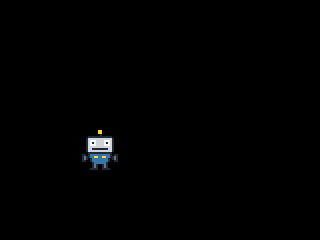
The window as text
fill (0, 0, 0)
blit robot.png at (80, 130)
The click only changes the variables. The drawing still happens in every frame, from the variables, as in every program so far. To keep something for every click, such as a coin at each one, append the points to a list and draw everything in the list in each frame.
Following the mouse
pygame.MOUSEMOTION comes whenever the mouse moves over the window, and its pos is where the mouse pointer is now. Here the robot's center sticks to the pointer:
import pygame

pygame.init()
window = pygame.display.set_mode((320, 240))
robot = pygame.image.load("robot.png")

x = 140
y = 100

while True:
    for event in pygame.event.get():
        if event.type == pygame.MOUSEMOTION:
            x = event.pos[0] - robot.get_width() // 2
            y = event.pos[1] - robot.get_height() // 2
        if event.type == pygame.QUIT:
            exit()

    window.fill((0, 0, 0))
    window.blit(robot, (x, y))
    pygame.display.flip()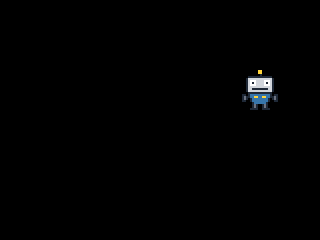
The window as text
fill (0, 0, 0)
blit robot.png at (240, 70)
Instead of jumping, the robot can also walk toward the pointer: keep the point it's heading for in variables of its own, and in each frame move the robot a step closer to it, as the second challenge below does.
Did the click hit?
A click hits an image when its point is inside the image's rectangle. The image covers x from its left edge up to (but not including) its left edge plus its width, and the same for y:
mouse_x, mouse_y = event.pos
if x <= mouse_x < x + robot.get_width() and y <= mouse_y < y + robot.get_height():
    print("Got the robot!")
Python lets you chain comparisons like this: x <= mouse_x < x + 40 means x <= mouse_x and mouse_x < x + 40.